
If you’ve ever managed a build, you know there’s a moment when the site looks like an open invitation: walls are up, windows aren’t in yet, there’s no power connected, and tens of thousands of dollars in tools and materials are sitting behind a temporary fence.
That’s exactly where Lisa found herself.
The Problem: “Midnight Visitors” and a Dark, Powerless Site
Lisa was halfway through a major renovation. Every evening, her tradies locked up, stacked their gear, and hoped for the best. There was:
- No permanent power on site
- No WiFi
- Only a flimsy temporary fence and a padlock on the gate
Neighbours started mentioning strange utes pulling up late at night, and she’d occasionally arrive to find footprints, moved materials and the odd missing item.
She knew that once thieves realised the site was unattended and unmonitored, they’d be back. And next time, they could easily walk away with power tools, copper, appliances or hot water units.
The Old Options Weren’t Good Enough
Lisa’s first instinct was to “do something”:
- Hire a security patrol? Expensive, and they only drive past a few times per night.
- Run extension leads and WiFi from next door? Messy, unsafe, and not always an option.
- Fake cameras and extra padlocks? Thieves are used to these and don’t scare easily.
What she really needed was eyes on the site 24/7, even though there was no power or WiFi yet.
The Solution: A 4G Wireless Solar Security Camera Watching the Gate
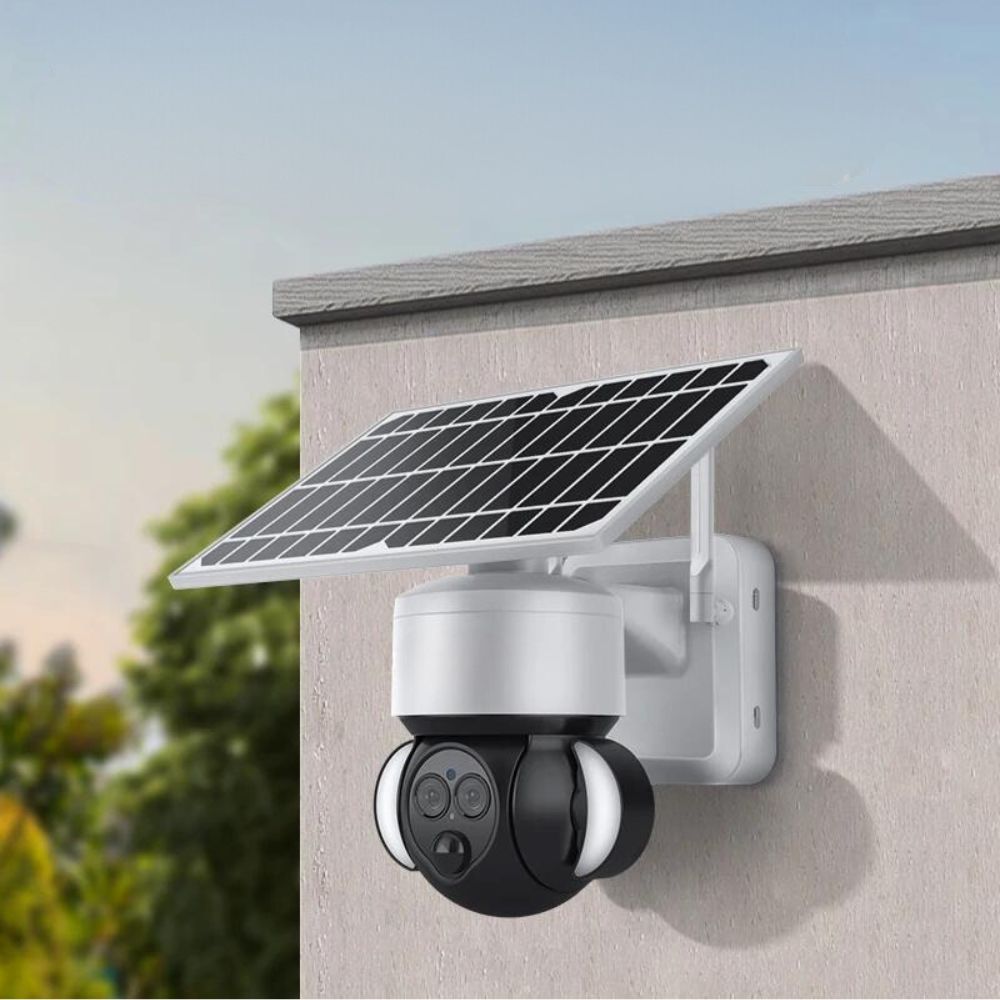
Instead of booking guards, Lisa installed a SolarGuard 4G Camera.
- She mounted it high on the front of the half-finished building, angled down over the driveway, gate and materials (just like in the diagram above).
- The camera runs off its built-in solar panel, so no electrician or wiring was needed.
- It connects via the 4G mobile network, not WiFi, so it works perfectly on a bare construction site.
The whole setup took minutes – attach the bracket, insert the SIM, pair it with the app, and the site went from “dark and blind” to live-streaming in HD straight to her phone.
What Happened Next
A week later, at 1:30am, Lisa’s phone buzzed.
- The SolarGuard 4G detected motion at the gate and sent an instant alert.
- Half asleep, she opened the app and watched live as two men tested the latch on the temporary fence.
-
The camera’s spotlight snapped on, and she spoke through the built-in speaker:
“This site is monitored. You’re on camera.”
They froze, looked up straight into the lens, and turned straight back to their ute.
The footage was automatically saved, with clear faces and the number plate visible. If they ever come back, the police will have more than just a vague description.
Why SolarGuard 4G Works So Well on Construction Sites
For builders, owner-builders and project managers, the SolarGuard 4G Camera solves the exact problems that make construction sites so vulnerable:
-
No WiFi? No problem.
SolarGuard uses 4G mobile coverage, so it works on bare blocks, rural builds and renos with no internet yet. -
No power? Still protected.
The camera is solar powered, with a built-in battery to keep it running day and night. -
Wide view of the critical areas.
Mounted high at the front of the site, it covers the gate, driveway and tool/material storage, so you see every person and vehicle coming in. -
Real-time alerts to your phone.
Motion alerts let you check in instantly – whether it’s a tradie starting early, a courier dropping off, or someone who shouldn’t be there. -
Two-way audio to scare off intruders.
You can speak through the app and deliver a clear message: “You’re being recorded.” -
Evidence if something does happen.
Full HD video and snapshots give you time-stamped proof for police and insurance claims.
Where Should You Install the Camera?
On a half-finished construction site, a single SolarGuard 4G can cover a surprising amount if you place it smartly:
- Mount it high – on scaffolding, a front gable, or a solid post.
- Face it towards the entry point – gate or driveway where vehicles and people come in.
- Include high-value areas in the frame – tool sheds, materials stacks, and areas where appliances or copper are stored.
- Avoid pointing directly into bright streetlights – for clearer night vision.
The diagram above shows a typical layout: the camera is placed high on the front of the building, with its field of view covering the temporary fence line, tools & materials area, and the main access from the street.
Don’t Wait Until Something Goes Missing
Most builders only tighten security after the first big loss. By then, the damage is done – lost tools, blown timelines, insurance excess, and a lot of stress.
A SolarGuard 4G Camera turns your half-finished construction site into a watched space:
- ✅ Solar powered
- ✅ 4G connection (no WiFi needed)
- ✅ Motion alerts and HD video to your phone
- ✅ Built for harsh outdoor conditions
If you’re protecting a renovation, new build, or any site without power and WiFi, SolarGuard 4G is designed exactly for you.
Ready to protect your site before the thieves find it?
👉 Add SolarGuard 4G Camera to your security plan and keep eyes on your build 24/7, from wherever you are.


Leave a comment
This site is protected by hCaptcha and the hCaptcha Privacy Policy and Terms of Service apply.